Laravel Artisan Console

Laravel Console is a great feature to execute background process.

For example, if you would like to send a weekly newsletter email to your subscribers, you can make an artisan command in your Laravel application to handle that process.

In this post, I will show you on how to make an artisan command to fetch data from database, and export to csv file.

Step 1:

Run this command to create a new Console Command file.

You can replace "ExportCsv" with your preferred name.

php artisan make:command ExportCsv

Now you have a new Console Command file located at your_project_directory/app/Console/Commands/ExportCsv.php
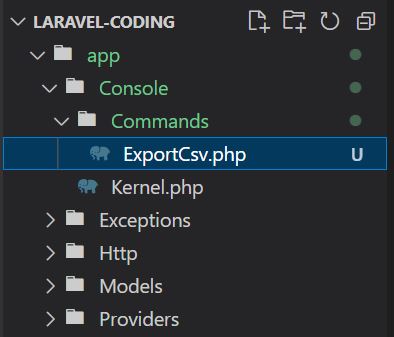
ExportCsv

Step 2:

Edit ExportCsv.php file as below:

<?php

namespace App\Console\Commands;

use Illuminate\Console\Command;
use Illuminate\Support\Facades\DB; //add this line

class ExportCsv extends Command
{
    /**
     * The name and signature of the console command.
     *
     * @var string
     */
    protected $signature = 'export:csv'; //edit this line

    /**
     * The console command description.
     *
     * @var string
     */
    protected $description = 'Export users list into csv file'; //edit this line

    /**
     * Create a new command instance.
     *
     * @return void
     */
    public function __construct()
    {
        parent::__construct();
    }

    /**
     * Execute the console command.
     *
     * @return int
     */
    public function handle() //edit this function
    {
        $users = DB::table('users')->select('name', 'email')->get();

        // Define the path where the CSV file will be stored
        $filePath = storage_path('app/users/users.csv');

        // Open the CSV file for writing
        $file = fopen($filePath, 'w');

        // Write the CSV headers
        fputcsv($file, ['Name', 'Email']);

        // Write each user's data as a row in the CSV file
        foreach ($users as $user) {
            fputcsv($file, [$user->name, $user->email]);
        }

        // Close the file
        fclose($file);
    }
}

Step 3:

On your terminal, run this command:

php artisan export:csv

This command will run the script, and generate a csv file located at your_project_directory/storage/app/users/users.csv